Category Archives: development

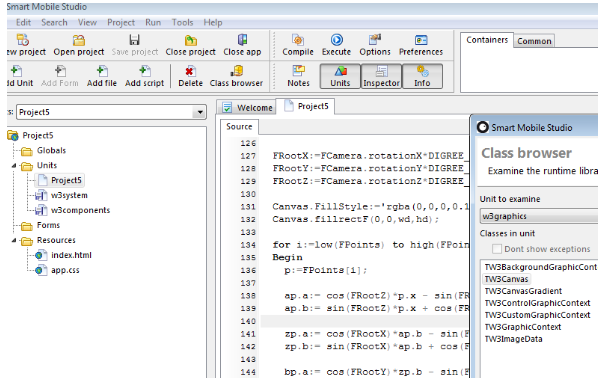
Compile Object Pascal to JavaScript with Smart Mobile Studio

Here is an interesting project for Delphi developers: a compiler and IDE that takes your Object Pascal code and outputs HTML and JavaScript. 

image

Smart Mobile Studio, also known as OPJS (Object Pascal to JavaScript) is a project from Optimale Systemer AS, and supports not only the Object Pascal language. but also reusable components in true Delphi style. The goal is to bring Object Pascal programming to mobile platforms, using PhoneGap to wrap the generated code as a native application for iOS, Android or other platforms.

According to the developers, “The Smart object pascal dialect is more or less identical to Delphi 7”. That said, there are no pointers, and ASM blocks contain normal JavaScript instead of machine instructions. This enables use of JavaScript libraries such as JQuery from Smart Mobile code:

You can access native JS through an ASM section, create an instance of it to a variant, and then access its methods directly.

Smart Mobile Studio is currently in closed Alpha so not ready for most of us just yet. Note that there are other options for mobile development with Delphi, including Embarcadero’s official FireMonkey project which can be used with the Free Pascal iOS compiler. Embarcadero has promised its own compiler for IOS in a future version, as well as an Android option.

Windows on ARM: Microsoft can write Desktop apps, but you cannot

Microsoft’s Windows chief Steven Sinofsky has written a long post describing Windows on ARM (WOA), which he says is a:

new member of the Windows family, much like Windows Server, Windows Embedded, or Windows Phone

There are many point of interest in the post, but the one which stands out for me is that while the traditional Windows desktop exists in WOA, third party applications will not be allowed there:

Developers with existing code, whether in C, C++, C#, Visual Basic, or JavaScript, are free to incorporate that code into their apps, so long as it targets the WinRT API set for Windows services. The Windows Store can carry, distribute, and service both the ARM and x86/64 implementations of apps (should there be native code in the app requiring two distributions).

says Sinofsky. He writes with extreme care on this issue, since the position for which he argues is finely nuanced. Why have the Windows desktop on WOA at all?

Some have suggested we might remove the desktop from WOA in an effort to be pure, to break from the past, or to be more simplistic or expeditious in our approach. To us, giving up something useful that has little cost to customers was a compromise that we didn’t want to see in the evolution of PCs

he says, while also saying:

WOA (as with Windows 8 ) is designed so that customers focused on Metro style apps don’t need to spend time in the desktop.

From a developer perspective, the desktop is more than just a different Windows shell. Apps that run on the Windows Runtime (WinRT) are isolated from each other and can call only a limited set of “safe” Windows APIs, protecting users from malware and instability, but also constraining their capabilities. The desktop by contrast is the old Windows, an open operating system. On Windows 8 Intel, most things that run on Windows 7 today will still work. On WOA though, even recompilation to target the ARM architecture will not help you, since Microsoft will not let desktops apps install:

Consumers obtain all software, including device drivers, through the Windows Store and Microsoft Update or Windows Update.

What if you really want to use WOA, but have some essential desktop application without which you cannot do your work, and which cannot quickly and easily be ported to WinRT? Microsoft’s answer is that you must use Windows on Intel.

That said, Microsoft itself has this problem in the form of Office, its productivity suite. Microsoft’s answer to itself is to run it on the desktop:

Within the Windows desktop, WOA includes desktop versions of the new Microsoft Word, Excel, PowerPoint, and OneNote, codenamed “Office 15”.

No Outlook, which I take to imply that a new WinRT-based Exchange client and PIM (Personal Information Manager) is on the way – a good thing.

Microsoft’s aim is to give customers the security and stability of a locked-down machine, while still offering a full version of Office. If you think of this as something like an Apple iPad but with no-compromise document editing and creation, then it sounds compelling.

At the same time, some users may be annoyed that the solution Microsoft has adopted for its legacy desktop application suite is not also available to them.

The caveat: it is not clear in Sinofsky’s post whether there may be some exceptions, for example for corporate deployments, or for hardware vendors or mobile operators. It will also be intriguing to see how Office 15 on ARM handles extensibility, for example with Office add-ins or Visual Basic macros. I suspect they will not be supported, but if they are, then that would be a route to a kind of desktop programming on WOA.

It will be interesting to see how Microsoft locks down Explorer, which Sinofksy says is present:

You can use Windows Explorer, for example, to connect to external storage devices, transfer and manage files from a network share, or use multiple displays, and do all of this with or without an attached keyboard and mouse—your choice.

By the way, this is a picture of the Windows ARM desktop as it looked at the BUILD conference last September. The SoC (System on a Chip) on this machine is from NVIDIA.

Cross-platform Windows and Mac lifts Delphi sales by 54%

Embarcadero has announced 54% growth in sales of Delphi and C++ Builder, its rapid application development tools, in 2011 vs 2010. These tools primarily target Windows, but in the 2011 XE2 edition also support Mac and iOS applications. XE2 also added a 64-bit compiler, making this the most significant Delphi release for years. The company says that the 2011 figures come on top of 15% year on year growth in the previous three years.

This is encouraging for Delphi developers, and well deserved in that Delphi still offers the most productive environment for native code development on Windows. The cross platform aspect is also interesting, though the FireMonkey framework which enables it is less mature than the old VCL, and there are many other options out there for cross-platform apps. FireMonkey does not yet support Android or other mobile platforms apart from Apple iOS.

2012 is also the year of Windows 8, raising the question of whether Delphi and C++ Builder will support the new Windows Runtime (WinRT) in future, and if it does, whether this will be FireMonkey only, or whether it could work with a XAML-defined user interface.

A quiet revolution in UK government IT: open source ousting big-vendor lock-in

The most striking and surprising presentation at the Monki Gras developer event in London earlier this week was from two quietly spoken men from the UK government’s Cabinet Office. James Stewart and Matt Wall work on the Government Data Service (GDS), and what they are doing is revolutionary.

What is the GDS? “It’s a new branch of the cabinet office which exists to deliver public services, public sector information in-house, rather than the traditional out-sourcing model,” they explained, though it turned out to be rather more than that.

Wall described his experience of talking to government workers about their IT needs.

A common thing you see from very small to very large is someone in government who wants to get something done, who has a business problem or a user need that they want to serve, surrounded by a complex array of integrators, vendors, contractors, suppliers, and all of that, kind-of locked into that, their ability to manoeuvre or deliver services [is limited].

he explained. The only solution is to reform the way software is procured. They described their boss Mike Bracken’s goal:

We want to move from government procuring systems to government commissioning them, whether we build them ourselves, or just that we know what it is we’re asking for. We need that knowledge.

This is also about breaking the hold of the large vendors and finding ways to work on a smaller scale.

If you want to buy something in government, traditionally, some software or some system, the amount of momentum that you have to get up, the amount of people you can easily engage with, they tend to be from companies that are absolutely vast and they tend to take projects that are absolutely vast, the whole mechanism of working is stultifying for everyone involved. It is not just us, a small group of developers sitting in an office able to write some stuff, because that’s not scalable, you can’t do that for everyone. It’s finding small to medium sized companies, partners, out there in the market and finding ways to engage them … why should five very large companies get all the work?

Mike Bracken and the Cabinet Office minister Frances Maude are currently on the West Coast of the USA, they said.

They were invited to meet the usual suspects, Oracle, the major systems integrators. They cancelled it. They’re visiting Joyent, they’re visiting 10Gen, they’re visiting Twilio [applause]. It’s a wholesale change. We’re looking at how great web services are built.

There is also a commitment to open source. “All of the code that we’re producing is open source and out on the Internet,” they said.

What tools do they use?

Most of the core apps are in Ruby, with a mixture of Sinatra and Rails, and some Scala. We’re using a mixture of MySQL and Mongo for the database,

they told us.

The GDS is currently only about 30 people, 10 of whom are developers. How much impact can such a small team have?

We’ve just started and we’re very small. We’re already having a significant impact in some quite large and some quite small projects. The incoming demand that we face across central government and local government is absolutely astronomical, and one of the things that’s important to resolve over the coming years is how to manage that demand and provide services, abilities and communities for people . . . we never want to parachute into somewhere, rewrite all the systems and then go off somewhere else., that’s not sustainable.

Can this small group really change government IT so profoundly? That is an open question, and perhaps in the long term they will fail. There is no doubting though that this particular team is doing inspiring work. This blog post from GDS yesterday describes how open source participation was used to fix a government web site; it may seem a small thing, but as a new and different approach it is significant.

For more information see Mike Bracken’s post This is why we are here, and take a look at the team’s early work on GOV.UK, which is in beta.

image

What would you like to see in Microsoft Office 15?

Today brings the news that Microsoft Office 15 is now in Technical Preview (also known as private beta).

There is little news about what is in it other than this:

With Office 15, for the first time ever, we will simultaneously update our cloud services, servers, and mobile and PC clients for Office, Office 365, Exchange, SharePoint, Lync, Project, and Visio.

image

So what would you like to see in Office 15? Here are a few things on my wish list:

  1. Properly integrate SharePoint (and therefore Office 365) with Windows so that you can use it easily without ever opening a web browser. That might mean fixing SharePoint WorkSpace or doing something better, like Explorer integration without the various hassles associated with WebDAV.
  2. Fix Outlook, or better still replace it. I hear many complaints about Outlook, either concerning its performance, or else one of its many annoyances such as how hard it is to reply to an email while quoting sections of the original message – astonishing, when you consider the maturity of the product.
  3. Improve cross-platform support. Office on the Mac is poor compared to the Windows version, particularly in terms of performance. It is also time Microsoft came out with apps for iOS and Android for touch-friendly document editing.
  4. Update the user interface for touch control as far as possible. This will be critical for Windows 8 tablets, especially on ARM.
  5. Improve structured document editing in Word. Styles are hard to use, so are bullets and numbering. I tend not to use the paragraph numbering in Word because it is so fiddly and annoying.

The problem is that Office is a huge and intricate bag of legacy. The work Microsoft did in replacing the menus with ribbon toolbars was admirable in its way, and potentially more touch-friendly, but if you scratch the surface much is unchanged underneath. All the old commands remain.

NVIDIA releases CUDA Toolkit 4.1 with LLVM compiler

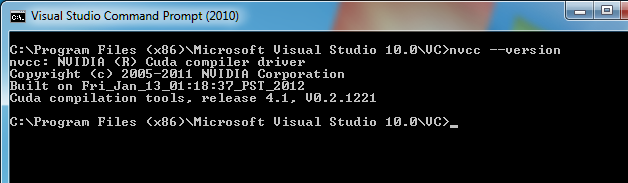
NVIDIA has released version 4.1 of its CUDA Toolkit for general purpose GPU computing.

image

There is a lot in this release, including a compiler based on LLVM, which will make it easier to support other programming languages; 1000 new imaging functions; and a re-designed visual profiler.

There is also an update to Parallel Nsight, for debugging and profiling CUDA applications in Visual Studio. This is free, though you have to register as an NVIDIA developer. You need this update to work with the 4.1 toolkit.

You do have to update your graphics card driver:

image

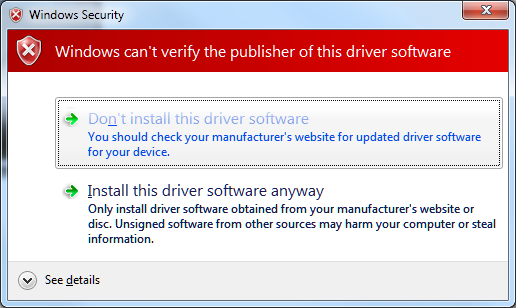
using a new build which NVIDIA has not gotten around to signing:

image

Still, lots of goodies here and a must-have for developers wishing to put their NVIDIA GPU to work for more than just games.

PHP Developer survey shows dominance of mobile, social media and cloud

Zend, a company which specialises in PHP frameworks and tools, has released the results of a developer survey from November 2011.

The survey attracted 3,335 respondents drawn, it says, from “enterprise, SMB and independent developers worldwide.” I have a quibble with this, since I believe the survey should state that these were PHP developers. Why? Because I have an email from November which asked me to participate and said:

Zend is taking the pulse of PHP developers. What’s hot and what matters most in your view of PHP?

There is a difference between “developers” and “PHP developers”, and much though I love PHP the survey should make this clear. Nevertheless, If you participated, but mainly use Java or some other language, your input is still included. Later the survey states that “more than 50% of enterprise developers and more than 65% of SMB developers surveyed report spending more than half of their time working in PHP.” But if they are already identified as PHP developers, that is not a valuable statistic.

Caveat aside, the results make good reading. Some highlights:

  • 66% of those surveyed are working on mobile development.
  • 45% are integrating with social media
  • 41% are doing cloud-based development

Those are huge figures, and demonstrate how far in the past was the era when mobile was some little niche compared to mainstream development. It is the mainstream now – though you would get a less mobile-oriented picture if you surveyed enterprise developers alone. Similar thoughts apply to social media and cloud deployment.

The next figures that caught my eye relate to cloud deployment specifically.

  • 30% plan to use Amazon
  • 28% will use cloud but are undecided which to use
  • 10% plan to use Rackspace
  • 6% plan to use Microsoft Azure
  • 5% have another public cloud in mind (Google? Heroku?)
  • 3% plan to use IBM Smart Cloud

The main message here is: look how much business Amazon is getting, and how little is going to giants like Microsoft, IBM and Google. Then again, these are PHP developers, in which light 6% for Microsoft Azure is not bad – or are these PHP developer who also work in .NET?

I was also interested in the “other languages used” section. 82% use JavaScript, which is no surprise given that PHP is a web technology, but more striking is that 24% also use Java, well ahead of C/C++ at 17%, C# at 15% and Python at 11%.

Finally, the really important stuff. 86% of developers listen to music while coding, and the most popular artists are:

  1. Metallica
  2. = Pink Floyd and Linkin Park

Wow.

Top languages on Github: JavaScript reigns, Ruby and Python next

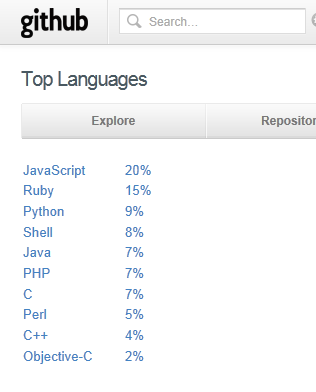
I cloned a github repository today, and while browsing the site noticed the language stats:

image

Git was originally developed for the Linux kernel and is mainly for the open source community. I was interested to see JavaScript, the language of HTML 5, riding so high. PHP, C and C++ are lower than I would have guessed, Ruby and Python higher.

Here are some figures for the venerable Sourceforge:

Java (7,163) 19%
C++ (6,449) 17%
C (4,752) 13%
PHP (3,521) 10%
Python (2,694) 7%
C# (2,481) 7%
JavaScript (2,011) 5%
Perl (1,138) 3%
Shell (757) 2%
Visual Basic NET (688) 2%
Delphi/Kylix (581) 2%

This comes with a health warning. I have taken the figures from the what you get if you browse the directory and drop down Programming Languages; but the total is only about 37,000, whereas Sourceforge hosts around 324,000 projects. I am not sure what accounts for the discrepancy; it could be that language is not specified for the other projects, or they are dormant, or some other reason. But I hope the proportions indicate something of value.

Github is madly trendy, and Sourceforge ancient, so this tells us something about how open source activity has shifted towards JavaScript, Ruby and Python, and away from Java, C/C++ and C#.

Of course the overall picture of programming language usage is quite different. For example, you can get some kind of clue about commercial activity from a job board like indeed.com, which currently has 77,457 US vacancies for Java, 22,413 for JavaScript, and only 5030 for Ruby.

Nevertheless, interesting to see what languages developers on Github are choosing to work with, and perhaps an indicator of what may be most in demand on the job boards a few years from now.

Finally, looking at these figures I cannot help thinking how short-sighted Microsoft was in abandoning IronPython and IronRuby back in 2010.

Trying out nide – a cloud IDE for Node.js

I was intrigued by reports of nide, a web-based IDE for Node.js. It was one of the entries in the Node.js Knockout challenge last summer.

So how do you install it? One line on Linux; but I did not want to put it on my web server and I re-purposed my spare Linux machine last year after one of my other servers broke.

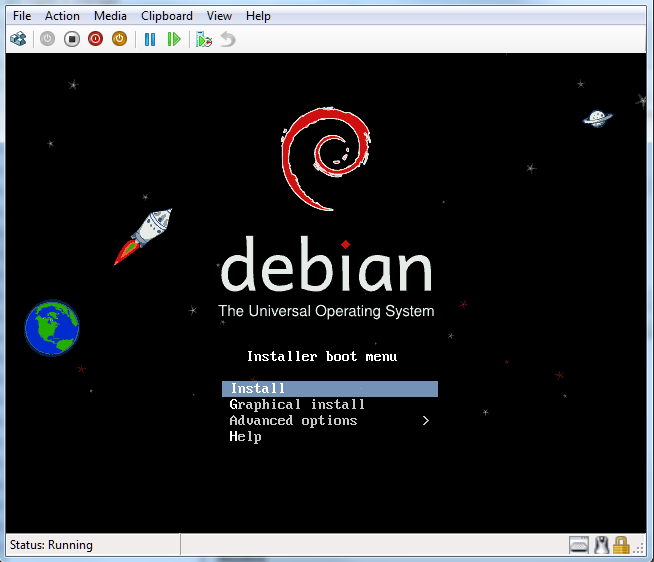
I decided to run up a Debian install on a Hyper-V server that has a little spare capacity.

image

I then followed the setups here for setting up Node.js and npm (Node Package Manager). I also installed nginx which I have been meaning to try for a while. Linux on Hyper-V works fine, though you have to use a “Legacy” network adapter which compromises performance a bit, unless you are willing to tackle installing Microsoft’s Hyper-V integration components for Linux, which do not support Debian though it is said to work. I do not need a GUI and the legacy network adapter is OK for this.

Everything works OK, though I found that nide does not work in Internet Explorer 9. I used Google Chrome, which makes sense I guess since the same JavaScript engine is used by Node.js.

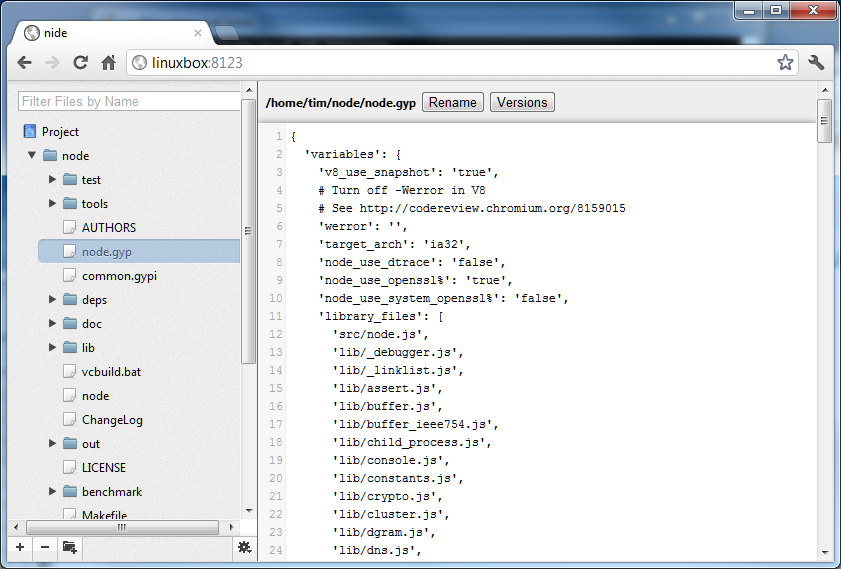
Nide is a simple affair which is essentially a file manager. Projects are displayed in a tree view, and you select a file to view or edit it. The icons at the bottom left of the screen let you create and delete files and folders.

image

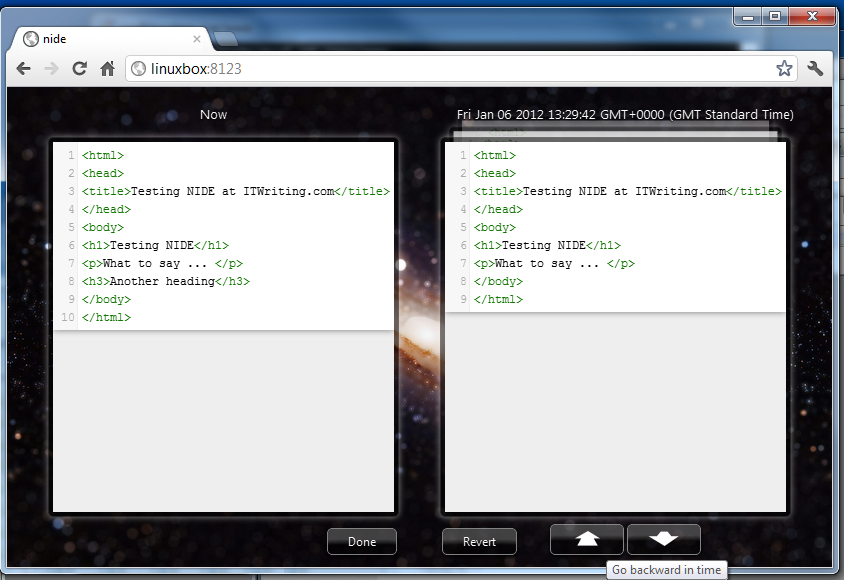
The smartest feature is version management. Files are saved automatically and you can easily compare versions and revert if necessary. The “Go backward in time” button shows that auto-saves are quite frequent.

image

There is also a GUI for npm built-in. Pretty good for a competition entry, though I had a few problems.

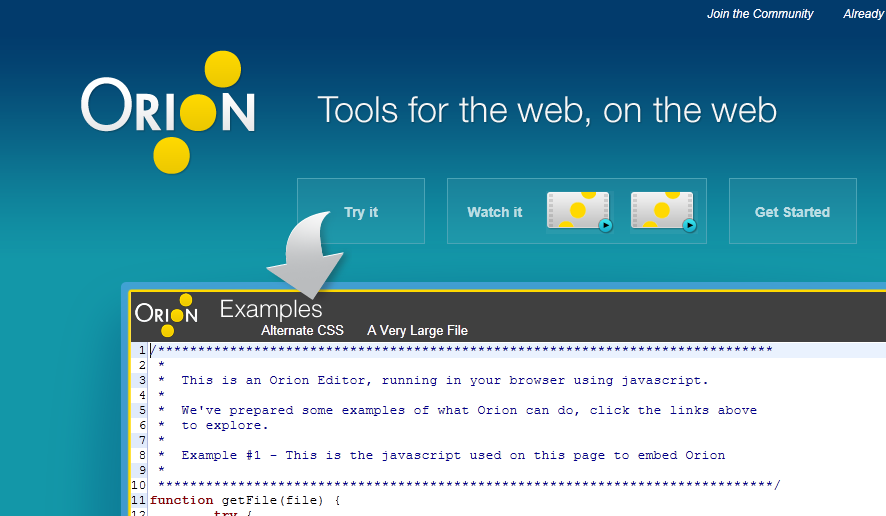
If you are interested in web-based IDEs, another interesting one is Orion, an Eclipse project.  Executive Director Mike Milinkovich says Orion will ship a 1.0 release later this year.

image

Holiday season free giveaway: a must-read for developers

Among my top books for 2011 is this one by Jez Humble and David Farley. I reviewed it here, and it also sparked some discussion of what is the difference between the various continuous software development/deployment models.

I have a spare copy of this book to give away. All you need to do is comment to this post with a valid email address – this will not be posted or used for any other purpose, but I will use it to request your address if you win. Please do not include an URL as it risks being dumped in the spam bucket!

On  January 6th I will select a winner at random. I will post to anywhere in the world.

Update: I have selected a winner. To do so, I used Java’s Random class to generate a number between zero and one less than the number of comments. The number it came up with was 4, so the winner is Ian Smith, the 5th person to comment. Congratulations!